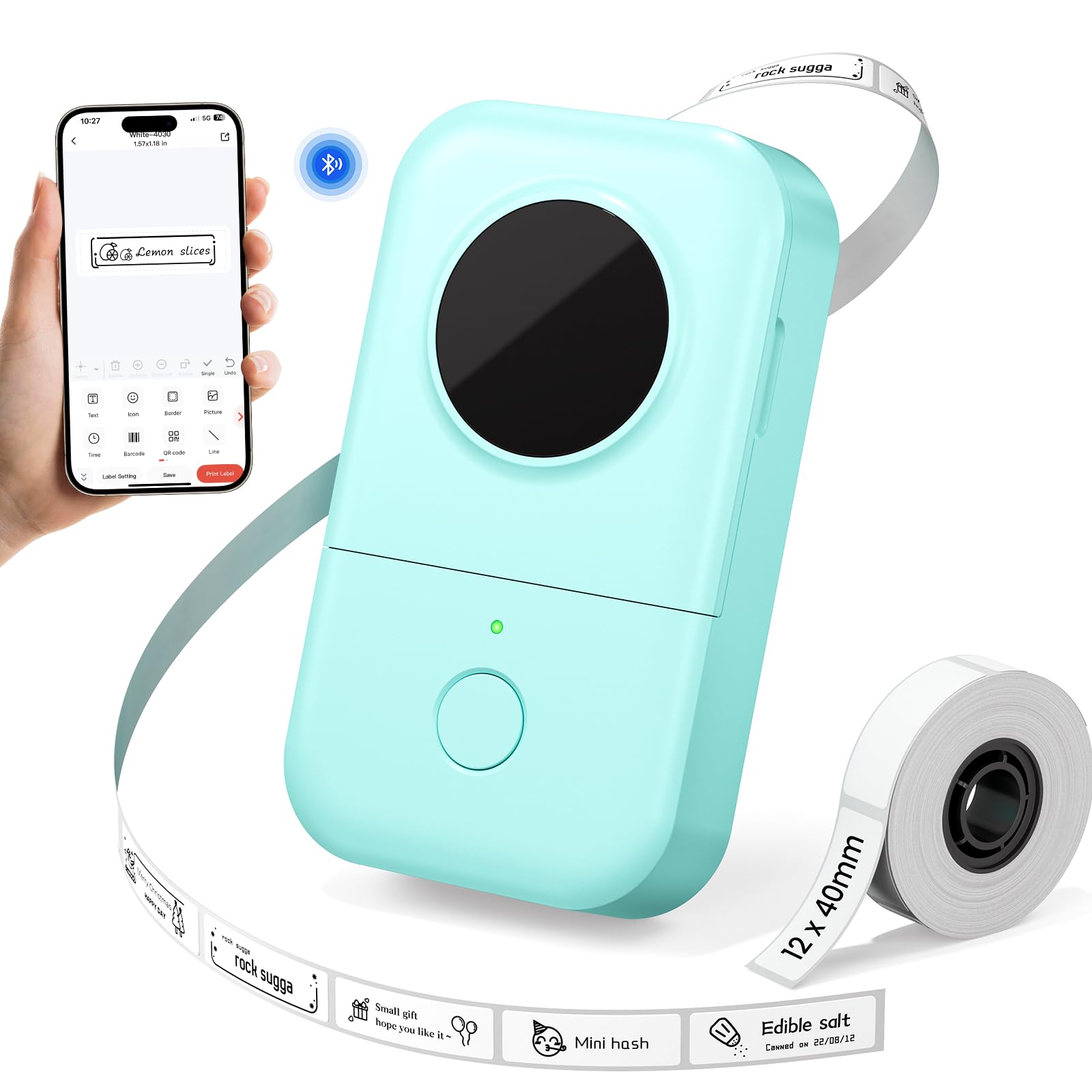
The Phomemo D30 is a compact Bluetooth label maker for turning everyday organizing into a phone-based task, from pantry jars to school supplies and office folders.
This Phomemo Label Maker review looks at its design tools, supported tape widths, and the practical tradeoffs of a small thermal printer.
Phomemo D30 Review Summary
The quick verdict
1,000+ ratings
Read Amazon ReviewsPhomemo D30 Label Maker
A pocketable Bluetooth label maker for households, teachers, and offices that want flexible, custom labels without ink or toner.
- Bluetooth connection for making labels from a mobile device.
- Print Master app is required; the product description specifically directs users to download it rather than the Phomemo app.
- Design tools include over 1,000 symbols, 60 frames, 120 fonts, and 60 borders.
- Supports 6 mm, 12 mm, 14 mm, and 15 mm tape widths.

Pros
- Small, lightweight format is easy to carry between rooms or take along.
- A large selection of app design elements makes it possible to tailor labels to different purposes.
Consider before buying
- Label creation depends on a phone and the Print Master app, so it may not fit buyers who prefer a standalone keyboard or computer-led workflow.
- The charging connection is Micro USB, which may be inconvenient if the rest of a buyer’s devices use a different cable.
Read the full review summary
The D30 combines a lightweight handheld format with a broad set of app design options. Its thermal printing needs no ink, toner, or ribbons, and its stated 203 DPI resolution is intended for clear, sharp labels.
Support for 6 mm, 12 mm, 14 mm, and 15 mm tape widths gives it flexibility for small tags and broader everyday labels.
It is best suited to people who are comfortable creating labels from a phone and want to organize varied household, school, or office items.
Before buying, consider the need to use the Print Master app, the Micro USB charging port, and the possibility that labels may leave residue when removed.
The buying factors
Phomemo D30 Scorecard
Editorial scores reflect listed features and buyer fit; they are not laboratory measurements or customer ratings.
Portability
At 0.35 pounds, the D30 is described as light enough to slip into a pocket.
Design flexibility
The app offers over 1,000 symbols, 60 frames, 120 fonts, and 60 borders for customizing labels.
Everyday label range
Support for four tape widths and text, QR code, barcode, and image content covers a range of routine labeling tasks.
Print detail
The 203 DPI thermal resolution is a useful specification for text and simple label designs, though the description does not establish performance for every layout.
Running-cost simplicity
Thermal printing avoids ink, toner, and ribbons; labels remain the ongoing supply to consider.
Charging convenience
The 1,200 mAh rechargeable battery supports cordless use, while the Micro USB port may be less convenient for buyers standardizing on newer charging cables.
Key Features and Specifications of Phomemo D30
- Bluetooth connection for making labels from a mobile device.
- Print Master app is required; the product description specifically directs users to download it rather than the Phomemo app.
- Design tools include over 1,000 symbols, 60 frames, 120 fonts, and 60 borders.
- Supports 6 mm, 12 mm, 14 mm, and 15 mm tape widths.
- Direct thermal printing at 203 DPI, with no ink, toner, or ribbon required.
- Rechargeable 1,200 mAh battery with a Micro USB charging port.
- Portable design weighing 0.35 pounds; suggested uses include home storage, school items, and office folders.
Pros and Cons of Phomemo D30
Pros
- Small, lightweight format is easy to carry between rooms or take along.
- A large selection of app design elements makes it possible to tailor labels to different purposes.
- Multiple tape widths give buyers options for compact tags and larger everyday labels.
- Inkless thermal printing keeps ink and toner out of the regular supply list.
Consider before buying
- Label creation depends on a phone and the Print Master app, so it may not fit buyers who prefer a standalone keyboard or computer-led workflow.
- The charging connection is Micro USB, which may be inconvenient if the rest of a buyer’s devices use a different cable.
- The product description notes that adhesive labels can leave residue, so renters or users labeling delicate surfaces should test placement first.
Who Should Buy Phomemo D30?
Good fit
Consider the Phomemo D30 if you want a small label printer for recurring household, classroom, or desk organization.
Its combination of several tape widths and extensive design options can help make labels for jars, storage boxes, food containers, school supplies, folders, and documentation without handwriting each one.
The phone-led workflow is likely to suit buyers who want to customize text and visual elements before printing.
Check that you are comfortable using Print Master and that the available tape widths suit the objects you plan to label.
For surfaces that may be damaged or difficult to clean, try a label in an inconspicuous spot before committing to a larger project.
Its rechargeable battery and pocketable weight also suit occasional labeling away from a fixed desk. Think about how often you will print and whether keeping a Micro USB charging cable handy works for your setup.
Who should skip it
Skip the D30 if you need a printer that works without a phone app, or if your labeling routine depends on tape widths outside the listed 6 mm, 12 mm, 14 mm, and 15 mm options.
Buyers who need residue-free removal should test the label material on their intended surface before using it broadly.
How the Phomemo D30 fits everyday labeling
App design for varied tasks
A label maker is more useful when it can adapt to what is being organized. The D30’s listed symbols, frames, fonts, and borders give users many ways to distinguish storage, school, and office labels.
The key tradeoff is that this flexibility is accessed through Print Master, so app-based design is part of the buying decision.
Tape widths and label planning
The four supported widths give buyers a choice between narrower labels for small items and wider ones for more room.
Think through the actual surfaces and wording before choosing tape: a compact spice jar label and a folder label may call for different layouts, and the listed widths are discrete options rather than a continuous range.
Thermal printing and supplies
Direct thermal printing removes ink, toner, and ribbon from the routine, which simplifies the printer’s supply needs.
You will still need compatible label tape, and the listed 203 DPI resolution is a useful guide for text and simple graphics.
If you plan to print dense designs or small lettering, test a sample layout at the size you intend to use.
Adhesive and surface choice
The adhesive is described as strong, with a possibility of residue after removal. That matters for reusable containers, finished furniture, and other surfaces where a clean peel is important.
Test one label first when the surface or finish is valuable, and choose label placement with future removal in mind.
Alternatives to Phomemo D30
Desktop Label Printers alternative

14,000+ ratings
Read Amazon ReviewsNIIMBOT D110 Label Maker
Consider the D110 if Type-C charging and batch printing matter more to your routine and you are comfortable using its app.
The D30 is the clearer fit if its listed design tools and tape widths better match the labels you want to create.
- The NIIMBOT D110 uses the NIIMBOT app, supports batch printing, and has a Type-C charging cord.
- Its description lists 203 DPI thermal printing and says it does not work with computers.
- The Phomemo D30 focuses on varied app design choices and supports 6 mm, 12 mm, 14 mm, and 15 mm tape widths, with a Micro USB charging port.
Desktop Label Printers alternative
2,000+ ratings
Read Amazon ReviewsPhomemo P12 Label Maker
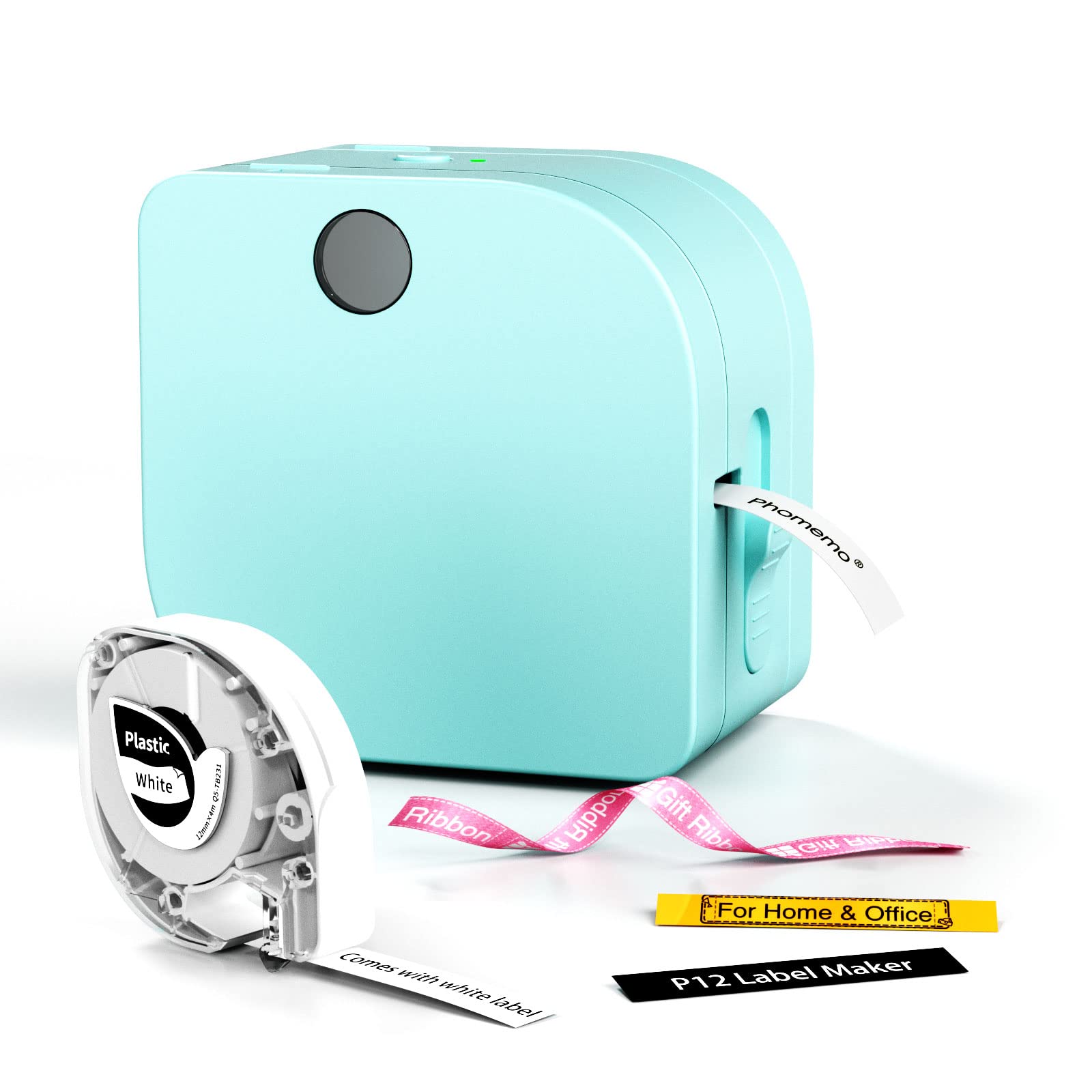
Consider the P12 if its USB-C or replaceable-battery power options, built-in cutter, or thermal-transfer label support suit your projects.
The D30 may be a better match when a compact rechargeable format and its particular app design library are the priorities.
- The Phomemo P12 supports thermal labels and thermal-transfer labels, can be powered through an included USB-C cable or six AAA batteries, and has a built-in cutter.
- Its app features include barcode, Excel import, scanning, OCR, and voice recognition.
- The D30 is a rechargeable, Bluetooth mini printer with a 1,200 mAh battery and support for four specified tape widths.
Is Phomemo D30 Worth It?
The Phomemo D30 is worth considering for phone-first buyers who want a portable thermal label maker for home, school, or office organization.
Its lightweight body, multiple tape widths, and extensive app design tools make it adaptable to a range of ordinary labeling jobs.
Before choosing it, make sure Print Master fits your workflow, the listed widths suit your labels, and the adhesive is appropriate for the surfaces you have in mind. The Micro USB charging port is another practical consideration.
If those tradeoffs are acceptable, the D30 offers a flexible, inkless approach to everyday organization.
Your review at a glance
1,000+ ratings
Read Amazon ReviewsPhomemo D30 Label Maker
A pocketable Bluetooth label maker for households, teachers, and offices that want flexible, custom labels without ink or toner.
- Bluetooth connection for making labels from a mobile device.
- Print Master app is required; the product description specifically directs users to download it rather than the Phomemo app.
- Design tools include over 1,000 symbols, 60 frames, 120 fonts, and 60 borders.
- Supports 6 mm, 12 mm, 14 mm, and 15 mm tape widths.